Unicode Fonts: Copy & Paste Cursive Text That Works Everywhere
Have you ever seen a stunning cursive font in a social media bio and wondered how it's possible to copy it and paste it into a different app? The digital world is full of text, but most of it is plain and standard. Yet, some stylish text seems to defy the rules, moving instantly from Instagram to Twitter to your notes app. This isn't magic—it's technology.
This article pulls back the curtain on the "hidden power" of Unicode, the universal standard that makes this possible. We'll explain how tools like ours ensure your fancy text is widely compatible and what you need to know to make your words stand out anywhere. Our cursive generator tool harnesses this technology to give you an effortless way to create beautiful, portable text. You can generate your own stylish text in seconds.
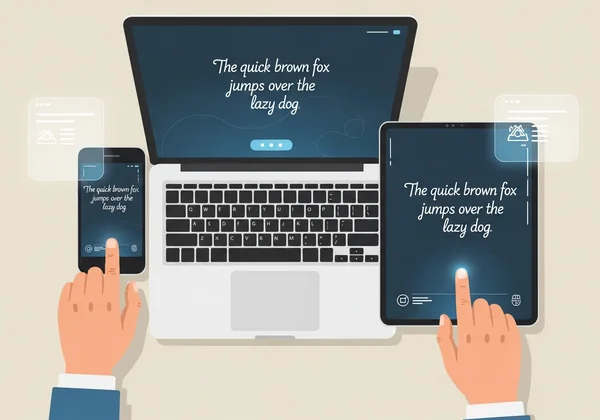
The Magic Behind Unicode Text Generators
To understand how you can copy and paste special text, we first need to look at the engine that powers it all: Unicode. It’s a concept that is both simple and revolutionary, and it’s the reason your digital communication works at all.
What Are Unicode Characters and Why Do They Matter?
Think of Unicode as a massive, universal dictionary for every computer, phone, and server in the world. In this dictionary, every single character—from the letter 'A' to the emoji '😂' and even complex mathematical symbols—is assigned a unique code number. For example, the capital letter 'A' is U+0041.
This universal standard is crucial. It lets different devices and platforms—built by anyone, anywhere—speak the same digital language. When you type a character on your phone and send it to a friend, their device doesn't see the shape of the letter; it sees the Unicode number and then displays the corresponding character from its own library. This is why you can send a message from an iPhone to an Android device without it turning into nonsense.
Fonts vs. Unicode: Understanding the Key Difference
This is where many people get confused. Is the stylish text you generate a "font"? The answer is both yes and no, and the distinction is important.
-
A Font is a visual style—a set of design rules that tells a device how to draw characters. Arial, Times New Roman, and Helvetica are all fonts. Changing a font only alters how characters look. The underlying Unicode numbers stay the same. This style information is usually confined to the app you're using, which is why you can't copy a special font from Microsoft Word and paste it into a plain text Instagram comment.
-
Unicode Characters are the actual building blocks. What a cursive text generator does is clever: it doesn't use a "font" in the traditional sense. Instead, it finds different Unicode characters that look like cursive letters. For example, it might swap the standard 'A' (
U+0041) for '𝒜' (U+1D49C), which is the "Mathematical Script Capital A."
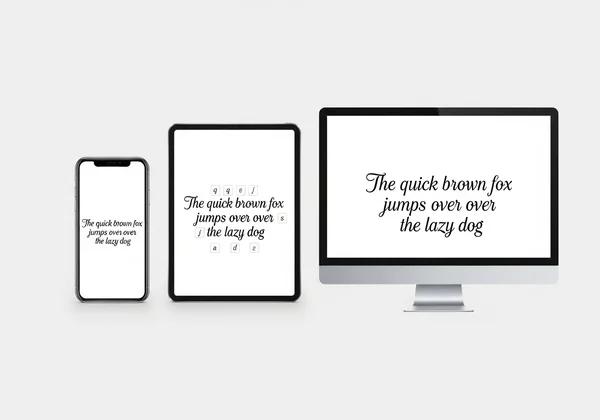
Your device already knows how to display thousands of these special characters. By using them, a cursive generator creates text that isn't just styled—it's made of entirely different characters that retain their appearance almost anywhere you paste them.

Ensuring Cursive Text Compatibility Across Devices & Platforms
Unicode is powerful but not flawless. You’ve likely pasted fancy text only to see □ or odd symbols. This is a common challenge, but it's one you can easily navigate with a little knowledge.
Common Cursive Display Challenges and How to Navigate Them
The most common issue is what’s known as "tofu"—the empty boxes that appear when a device doesn't know how to display a specific character. This happens when the font file installed on the operating system (like on your phone or laptop) doesn't include a design for that particular Unicode character.
Think of it like this: your device has a huge library of character designs, but it might not have every single one of the hundreds of thousands of characters in the Unicode standard. This is especially true for older devices or operating systems that haven't been updated.
How to navigate this:
- Stick to popular styles: Cursive styles based on more common mathematical or script character sets are more likely to be supported across the board.
- Know your audience's platform: Some platforms have better Unicode support than others. Social media sites like Instagram and TikTok are generally very good, while older forums or email clients might struggle.
- Be prepared for slight variations: The same cursive character might look slightly different on an iPhone versus a Samsung device or a Windows PC. This is because each system uses its own font to render the character, but the core cursive shape will remain.
Testing Your Cursive Text: Best Practices for Universal Display
Before you post your beautifully crafted bio or message, it’s always a good idea to do a quick test. This ensures your followers and friends see the elegant text you intended, not a string of confusing boxes.
Here’s a simple checklist for testing:
-
Paste it in different apps: Copy your generated text and paste it into a notes app, a new browser tab, and a draft message. If it appears correctly in all of them, you're likely safe.
-
Check on another device: If possible, send the text to a friend who uses a different type of phone (e.g., from iOS to Android). This is the ultimate test of cross-platform compatibility.
-
Use a reliable generator: A good tool, like the one on our site, curates its styles to favor characters with the best universal support, saving you much of the guesswork. Ready to create text you can trust? Try our free tool now.
How CursiveGenerator.org Leverages Unicode for You
Understanding the technology is helpful, but you shouldn't have to be a tech expert to make your text beautiful. That's our philosophy. We designed our tool to harness the power of Unicode in a simple, intuitive, and reliable way, so you can focus on creativity, not compatibility.
Instant Generation and Customization with Unicode Assurance
Our platform is built for speed and confidence. Here's how we make it easy:
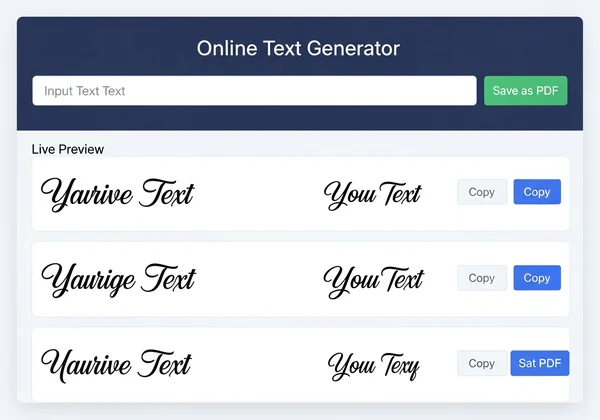
- Input & Select: Simply type or paste your text into the input box.
- Live Preview: As you browse through our extensive library of cursive styles, your text is instantly converted in the output box. What you see is exactly what you get.
- Curated for Compatibility: We have carefully selected Unicode character sets that are widely supported across modern devices and major platforms. This makes them perfect for creating Instagram cursive fonts that grab attention on profiles, posts, and stories.
- Simple Customization: Use the slider to adjust the size for a perfect preview, ensuring your text looks just right before you use it.
The entire process is quick, giving you beautifully formatted text that is ready to be copied with a single click.
Beyond Copy-Paste: Unique Features for Your Cursive Creations
We believe a great tool should do more than just the basics. While our core function is providing reliable copy-and-paste text, we've added features to support a wider range of creative projects.
One of our standout features is the Save as PDF option. This is perfect for designers, event planners, or anyone who needs a high-quality, static version of their cursive text. You can use it to:
- Create quick design mockups for logos or invitations.
- Design a unique digital signature for personal documents.
- Save artistic quotes or titles for presentations and digital scrapbooks.
This feature transforms our tool from a simple text generator into a versatile creative assistant. Experience the difference and create your design on our platform today.
Ready to stand out? Unicode cursive text lets you express your style anywhere—without compatibility headaches. The ability to copy and paste stylish cursive text across the internet isn't a glitch; it's the result of a powerful global standard called Unicode. Swap standard letters for artistic Unicode characters. Now your text keeps its style—no matter where you paste it.
While compatibility can sometimes be a challenge, understanding the basics helps you choose styles that work everywhere. More importantly, using a reliable and well-designed tool removes the guesswork entirely.
At CursiveGenerator.org, we provide you with a curated selection of beautiful, widely supported cursive fonts. With an intuitive interface, live previews, and unique features like PDF saving, you have everything you need to elevate your digital presence. Stop settling for plain text and start expressing your unique style with confidence.
Frequently Asked Questions About Unicode Cursive Text
How do I get fancy fonts that I can copy and paste anywhere?
You can get fancy, copy-and-paste fonts by using an online tool like a cursive text generator. These tools don't create traditional fonts; instead, they convert your standard text into a sequence of special Unicode characters that look like cursive or other styles. Because these characters are part of a universal standard, they can be displayed on most devices and platforms without needing any special font installation.
Why does my cursive text sometimes look different on various devices or apps?
Your cursive text may look slightly different across devices because each operating system (like iOS, Android, or Windows) uses its own built-in font files to render Unicode characters. While the character itself is the same (e.g., Mathematical Script 'A'), the specific design—its thickness, slant, and smoothness—can vary slightly. The style stays consistent, though slight visual tweaks are normal.
Is Unicode cursive text truly a "font," or something else entirely?
Technically, it's something else entirely. It is a string of Unicode characters, not a font file like .TTF or .OTF. A font is a set of styling instructions that a program applies to text. The "cursive fonts" you generate online are made of distinct characters that have a script-like appearance built-in. This is the key that allows them to be copied and pasted across different environments. You can easily generate these character sets with our handwriting font generator.
Can using Unicode cursive text affect accessibility or screen readers?
Yes, this is an important consideration. Screen readers, which assist visually impaired users, may not interpret decorative Unicode characters correctly. Some screen readers might try to read out the character's official Unicode name (e.g., "Mathematical Script Capital A") or skip it entirely. For this reason, it's best to use fancy text for decorative purposes—like in bios, nicknames, or headers—and use standard text for long, important paragraphs to ensure maximum accessibility.