Unicode Cursive Text Explained
Have you ever seen a beautiful Instagram bio or a TikTok caption written in elegant script and wondered how they did it? You might’ve tried to copy that text, and perhaps it worked perfectly. Or, maybe you pasted it into a different app and saw nothing but empty boxes or strange question marks. Why does cursive text sometimes disappear or change across different devices?
This common frustration reveals a fascinating tech secret. That "font" isn’t a traditional typeface. It’s powered by Unicode—a digital language that makes stylish text work across apps. When you use our cursive generator to stylize your words, you aren't just changing the look. You’re using a specific set of digital codes designed to work everywhere.
In this guide, we’ll demystify the magic behind these characters. You’ll learn how Unicode works, why some platforms love it while others struggle, and how you can use this technology to stand out online. Whether you’re a social media influencer or a casual user, understanding these basics will make you a text-transferring expert.
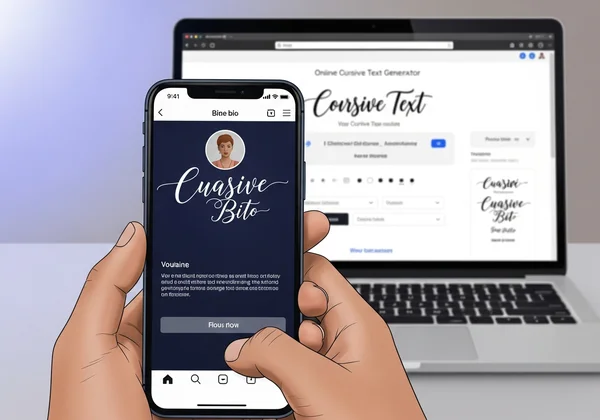
What is Unicode and Why Does It Matter for Cursive Text?
To understand cursive text online, we first need to look at how computers read. In the early days of computing, different systems had different ways of representing letters. This caused massive translation errors when sending messages between different types of computers. Unicode was created to solve this. It’s a universal standard that assigns a unique number to every character, regardless of the language or platform.
When you use an online text tool, you’re tapping into a specific part of the Unicode library. This library contains more than just the standard alphabet. It includes thousands of symbols, including mathematical scripts and stylized letters that look like handwriting. Because these are characters—not images—you copy and paste them anywhere. Just like typing a normal "A" or "B."
Unicode vs. Traditional Fonts: The Key Difference
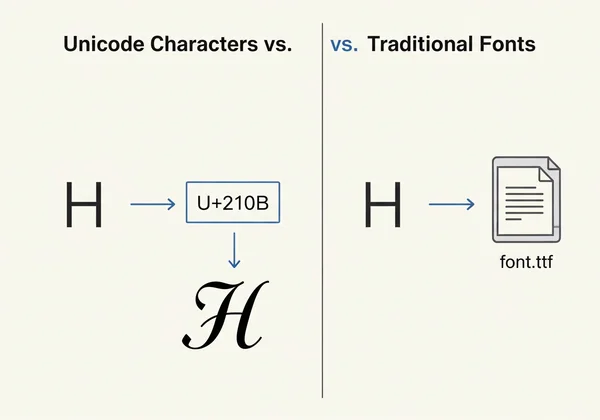
The most important thing to realize is that Unicode cursive is not a traditional font. Usually, when you change a font in a program like Microsoft Word, you’re using a font file (like a .ttf or .otf file) installed on your computer. If you send that document to someone who doesn't have that specific file, their computer will revert to a basic font like Arial.
Unicode characters are different. They’re built into the DNA of the internet. When you generate cursive using our tool, you’re selecting characters recognized by almost every modern operating system. You don’t need to install anything, and neither does your audience. The style is part of the character code itself. This is why you can paste fancy text into a Twitter post or an Instagram bio where traditional font selection isn’t even an option.
How Cursive Generator Uses Unicode to Create Special Text
Our tool acts as a bridge between your standard keyboard and the vast world of Unicode symbols. When you type a word like "Hello" into the input box, the cursive generator performs a real-time mapping process. It looks at the letter "H" and finds its visual equivalent in the "Mathematical Alphanumeric Symbols" block of the Unicode standard.
For example, a standard "H" might be replaced with a script "ℋ" or a bold script "𝑯". These aren't just "H" with a filter on top; they’re entirely different digital entities. Our tool automates this search, allowing you to browse dozens of styles instantly. This allows users to create fancy text that looks like professional calligraphy without needing any design skills or specialized software.
Why Your Cursive Text Works (or Doesn't) on Different Platforms
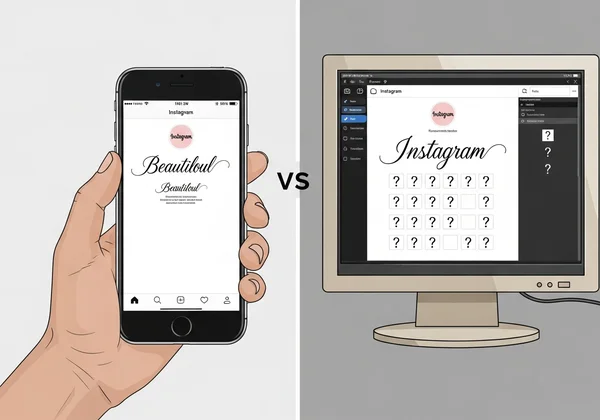
Even though Unicode is a global standard, it’s not perfectly consistent everywhere. You might’ve noticed that a specific script looks amazing on your iPhone but looks like "X" boxes on an older Android tablet. This happens because every device has a "system font" responsible for rendering these Unicode symbols. If the system font is old or limited, it simply won't know how to draw the specific cursive character you pasted.
Furthermore, some websites have security filters or character limits. These filters might see a Unicode script character and think it’s a glitch or a piece of malicious code. Understanding these platform quirks is the secret to using decorative text effectively without ruining the user experience for your followers.
Platform Compatibility: Instagram, TikTok, and Beyond
Most major social media platforms are highly compatible with Unicode cursive. Instagram is perhaps the most popular place for these styles. Psst—try this trick for Instagram bios! Users often customize your bio with script text to highlight their personality or brand. Since Instagram is built for mobile users, and modern mobile phones have excellent Unicode support, the text usually displays beautifully.
TikTok and Facebook also support these characters in captions and comments. However, it’s important to remember that search engines and platform algorithms might not read these characters the same way they read standard text. Avoid cursive-only captions. Platforms like Instagram struggle to read stylized text for SEO. Mix cursive with standard fonts! The best strategy is to use cursive for emphasis, not for your entire message.
When Unicode Characters Fail: Troubleshooting Display Issues
If you see empty boxes (often called "tofu") or question marks, it means the device you’re using doesn't have the "glyph" for that character. This is common on older computers or very old versions of mobile operating systems. Here are a few reasons why this might happen:
- Outdated Software: The device hasn’t updated its internal library to recognize newer Unicode blocks.
- Strict Platform Rules: Some professional platforms, like LinkedIn, may occasionally strip out special formatting in certain areas to maintain a uniform look.
- App-Specific Glitches: Sometimes an app's internal text editor isn't designed to handle complex symbols.
If you encounter this, try a different style from our free tool. Some cursive styles use more basic Unicode symbols that have higher compatibility across older devices.
Maximizing Your Cursive Text Experience Across Devices
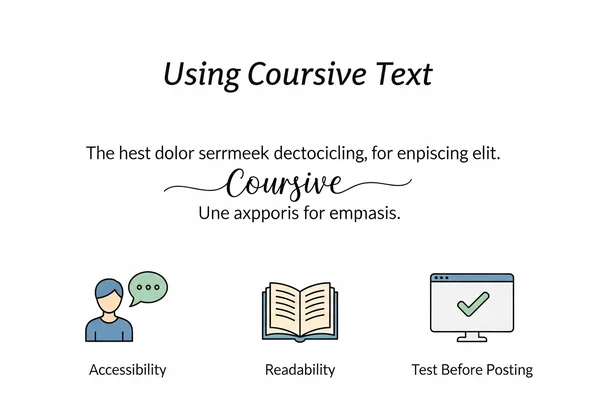
Using cursive text is an art form that requires a bit of strategy. While it’s tempting to turn every word into a work of art, readability should always be your top priority. If your audience can't read what you wrote, the "cool factor" of the font doesn’t matter. You want to strike a balance between being unique and being accessible.
To ensure your text looks great for everyone, you should consider the context of where the text will appear. A desktop user has a much larger screen and may find thin script fonts harder to see than a mobile user holding a phone six inches from their face.
Device-Specific Considerations: Mobile vs. Desktop
Mobile devices are the kings of Unicode. Both iOS and Android prioritize emoji and symbol support, which includes cursive characters. Because of this, try our tool primarily if your target audience is on mobile. You’ll find that nearly 99% of your mobile followers will see your text exactly as you intended.
On desktop computers, things can be a bit different. Windows and macOS handle text rendering differently. Some cursive styles that look bold on a phone might look very thin or spaced out on a Chrome browser on a PC. If you’re designing a professional email signature or a website header, always check the look on both a phone and a computer to ensure it remains legible.
Best Practices for Copy-Pasting Cursive Text Anywhere
To get the most out of your stylized text, follow these simple rules:
-
Use for Emphasis: Use cursive for names, titles, or a specific "Call to Action." Don’t use it for long paragraphs.
-
Check Accessibility: Remember that screen readers (used by people with visual impairments) often struggle to read Unicode symbols. They might read "𝑯𝒆𝒍𝒍𝒐" as "Mathematical Bold Script Capital H, Mathematical Bold Script Small e..." instead of just "Hello."
-
Keep it Simple: The most popular styles are often the most readable ones. Stick to styles that clearly resemble the letters they represent.
-
Test Before Posting: If you’re about to update a major social media profile, try the text and paste the result into a private post or a draft first to see how it looks.
Elevating Your Digital Presence
Mastering Unicode text is about more than just looking cool—it’s about understanding the digital language that connects us all. By using a cursive generator, you’re taking control of your digital identity and breaking away from the standard, boring fonts that everyone else uses.
Now that you understand how Unicode magic works and why it’s not just another font hack, you can use these tools with confidence. You can create bios that pop, captions that catch the eye, and digital signatures that reflect your unique style.
Ready to transform your plain text into something extraordinary? Head over to the Cursive Generator homepage right now. Experiment with different styles, adjust the sizes, and find the perfect look for your next post. Make your words stand out today!
FAQ Section
Why can't I see some cursive text characters on my device?
This usually happens because your device's operating system or system font library is outdated. If the device doesn't recognize the specific Unicode number for that character, it shows a box or a question mark. To fix this, ensure your device software is up to date, or try a simpler style from our cursive generator that uses more common symbols.
Does Unicode cursive text work on all social media platforms?
Most modern platforms like Instagram, TikTok, Twitter (X), and Facebook support Unicode characters. However, some platforms might limit their use in specific fields (like usernames) for security reasons. It’s always a good idea to test the output on your specific platform before finalizing your profile update.
Are there any security concerns with using Unicode text?
Totally safe! Unicode symbols are just decorative text—no security risks for your social profiles. However, in very rare cases, "homoglyphs" (characters that look like others) can be used for phishing, such as using a Cyrillic 'а' instead of a Latin 'a' in a URL. For social media use and personal branding, there are no risks to you or your followers.
How does Unicode cursive text compare to custom fonts?
Traditional custom fonts require a file to be installed on both the sender's and receiver's computers. Unicode cursive is "built-in" text that doesn't require any files. This makes Unicode text much more portable and easier to use across the web, whereas custom fonts are better for printed documents or professional graphic design projects.
Can I use Unicode cursive text for professional documents?
It’s best to use it sparingly in professional settings. While it works for a creative email signature or a bold header, using it in the body of a formal report or a legal document is not recommended. It can interfere with searchability and accessibility tools. For creative professional projects, you can generate cursive and save it as a PDF using our site's special features!