How Unicode Fonts Work: The Copy-Paste Font Secret ✨
Have you ever wondered how some people manage to use beautiful, swirling script or bold, gothic letters in their Instagram bios or TikTok captions? You might’ve tried to copy a fancy font from a professional design program, only to find it turns back into plain, boring text the moment you paste it. Why does your fancy font disappear when you try to share it?
The answer lies in a hidden technology that powers almost every screen you look at: Unicode. Understanding how this system works is the "secret sauce" behind creating text that stays stylish no matter where you post it. In this guide, we’ll pull back the curtain on digital characters. We’ll also show you how to use a cursive text generator to transform your online presence instantly.
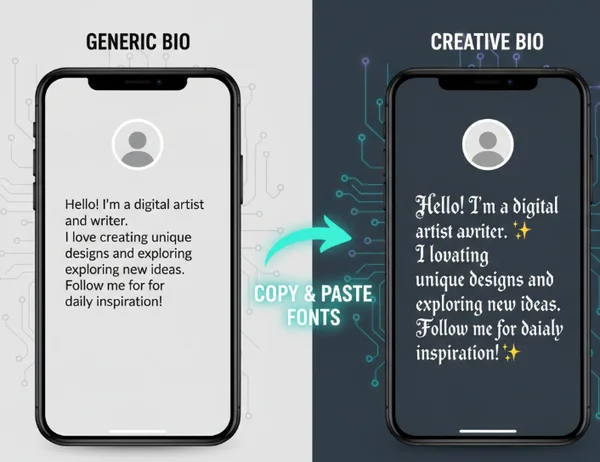
By the end of this article, you’ll understand the difference between a traditional font and a "copy-paste" character. More importantly, you’ll know exactly how to use these tools to make your social media profiles, digital messages, and creative projects pop.
What is Unicode and Why It Matters for Your Text 🌐
To understand why some text can be copied and others can't, we first need to look at how computers "read" language. Computers don’t actually understand letters like "A" or "B." Instead, they only understand numbers. For decades, different systems used different number codes for letters. This often led to "garbled" text when sending files between different devices.
Unicode: The Universal Translator for Digital Characters
Unicode solved a major global communication issue. It assigns a unique number to every character, ensuring consistency across devices. Today, its library of 140,000+ characters—from emojis to ancient scripts—powers the modern internet. Whether you’re using an iPhone in New York or a desktop in Tokyo, the Unicode number for a standard letter "a" is always the same.
This massive library is what allows us to communicate across the globe without losing the meaning of our messages. It’s the foundation of the modern internet and the reason your favorite emoji looks the same on every app.
How Unicode Solves the "Which Font Works Where" Problem
In the past, if you wanted to see a specific font, you had to have that font file installed on your device. If you sent a document using a "Cursive" font to a friend who didn't have that file, their computer would simply show a default font like Arial. This is the "Universal Font Problem."
Unicode solves this by including "stylized" versions of letters directly in its character map. Instead of changing the style of a standard letter, Unicode provides entirely different character codes that look like stylized letters. Because these are recognized as unique characters rather than a decorative layer, they work almost everywhere. When you use our tool, you’re tapping into this global database of symbols that every modern device already knows how to display.
The Copy-Paste Font Revolution: How Our Tool Uses Unicode 🚀
The rise of social media created a massive demand for personalization. Users want to express their identity through unique text, but platforms like Instagram and TikTok don't allow you to upload your own font files. This birthed the "copy-paste font" revolution.
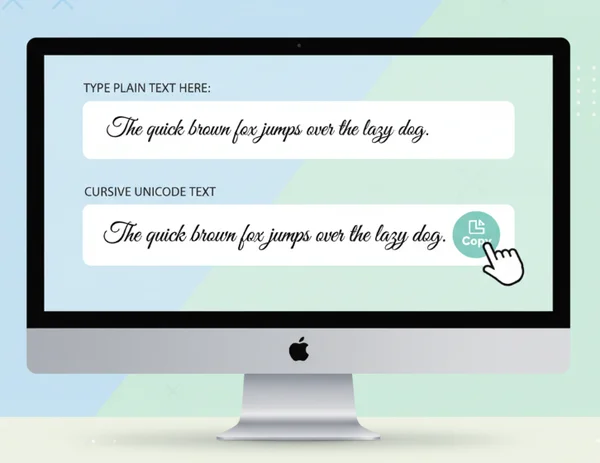
Our cursive font generator bridges the gap between plain text and artistic symbols. It instantly maps your typing to decorative Unicode characters that mimic pro calligraphy. It's the easiest way to give your profile a custom vibe without needing a design degree.
Traditional Fonts vs. Unicode Characters: What's the Difference?
It’s important to understand that what we call "online fonts" aren't actually fonts at all. Here’s the breakdown:
- Traditional Fonts: These are software files (like .ttf or .otf) that tell your computer how to draw a letter. To see them, both the sender and the receiver must have the file installed.
- Unicode Characters: These are "Pseudo-fonts." When you see a cursive "𝓐" on social media, you aren't seeing a standard "A" with a font applied to it. You’re seeing a "Mathematical Bold Script Capital A."
Because the "Mathematical Bold Script" character is its own unique entity in the Unicode system, you can copy it and paste it anywhere that supports Unicode. This is why you can try our free tool to generate text that stays fancy even when you move it from a website to a mobile app. It’s not just a visual trick; it’s a change in the data itself.
Testing Unicode Cursive Text Across 8+ Platforms
One of the biggest advantages of using Unicode-based text is its incredible compatibility. Because these characters are part of an international standard, they’re built to work across various environments. We’ve tested our cursive generator’s output across numerous platforms to ensure a seamless experience:
- Instagram: Perfect for bios, captions, and comments.
- TikTok: Enhances video descriptions and profile names.
- Facebook: Works in status updates and group posts.
- X (formerly Twitter): Makes your "handled" name or tweets pop.
- WhatsApp & Telegram: Adds flair to your personal messages.
- Discord: Customizes nicknames and server channel names.
- Microsoft Word & Google Docs: Useful for headings and decorative elements.
- Email Signatures: Creates a memorable professional or personal sign-off.
While traditional fonts would fail in almost all of these scenarios, Unicode text thrives because it speaks the native language of these apps.
Where Unicode Fonts Shine (And Where They Might Not) ✨
While Unicode text is incredibly powerful, it’s helpful to know where it performs best and where you might encounter minor hurdles. This "copy-paste" magic is designed for aesthetic and decorative purposes, making it a favorite for digital creators and social media enthusiasts.
Social Media Platforms: Instagram, TikTok, Twitter, and Facebook
The primary playground for Unicode characters is social media. On these platforms, visual hierarchy is everything. When everyone is using the same default sans-serif font, a beautiful cursive text snippet acts as a "thumb-stopper." It breaks the visual monotony and draws the eye directly to your call-to-action or your name.
Influencers and brands use these styles to create a cohesive "aesthetic." For example, a minimalist lifestyle influencer might use a light, airy script for their bio, while a tech brand might use bold, "monospace" Unicode characters to appear modern. The ability to simply copy and paste fonts allows for rapid experimentation without needing any graphic design skills.
Real User Example: See It In Action! 📸
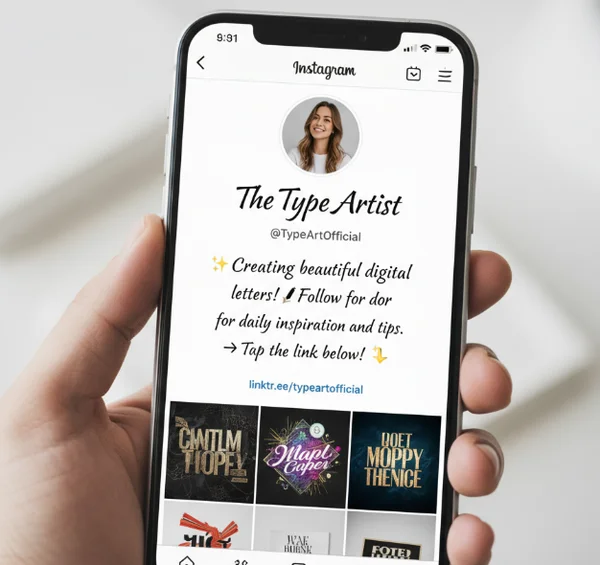
Wondering how this looks in the real world? Check out influencer @StyleByChloe. She uses cursive text in her bio to create a "dreamy aesthetic" that fits her brand perfectly. By swapping out standard text for these unique characters, she makes her profile pop the moment a new follower lands on her page. It's a simple change that makes a huge difference in how her brand is perceived.
When Unicode Might Fail: Older Devices and Specialized Software
As amazing as Unicode is, it’s not 100% universal in every single corner of the digital world. There are two main areas where you should be cautious:
- Older Technology: Very old smartphones or outdated operating systems may not have the updated Unicode maps. On these devices, fancy text might appear as empty boxes (sometimes called "tofu") or question marks.
- Accessibility and Screen Readers: This is a crucial point for inclusive design. Screen readers, used by people with visual impairments, read Unicode characters literally. A script "A" might be read as "Mathematical Bold Script Capital A" instead of just "A."
For these reasons, we recommend using decorative text for names, headings, and short phrases rather than long paragraphs. This ensures your content remains both stylish and functional.
Unlock the magic of copy-paste fonts today—no more mysteries! 🪄
The "secret" of copy-paste fonts is out. By leveraging the power of Unicode, you can bypass the limitations of standard digital typography and bring a touch of personality to every platform you use. Whether you’re looking to revitalize your Instagram bio, add flair to a digital invitation, or simply have fun with your friends in a group chat, the tools are at your fingertips.
When using stylish text, focus on making your message feel uniquely YOU. By choosing the right style for the right moment, you can elevate your digital brand and express your creativity in seconds.
Ready to see the magic for yourself? Head over to the cursive generator homepage now. Simply type your message, choose your favorite style, and click copy. It’s the easiest way to transform your text and make a lasting impression across the entire web.
Frequently Asked Questions About Unicode Fonts 🤔
Why can some fonts be copied and pasted while others can't?
The fonts you use in programs like Photoshop or Word are software files. When you copy them, you’re only copying the text, not the instructions on how to draw it. However, when you use a fancy text generator, you’re using special Unicode symbols. Since these symbols are unique characters recognized by all modern devices, the "style" is built directly into the character itself. This allows it to be pasted anywhere!
Do Unicode fonts work on all devices and platforms?
Most modern devices (iOS, Android, Windows, macOS) and major social media platforms fully support Unicode characters. However, very old devices or certain specialized software may not recognize the newer "stylized" character sets. If you see a square box instead of a letter, it means that specific device doesn’t have the updated Unicode library. It’s always a good idea to test your text on the target platform first to make sure the vibe is right.
How is your tool's Unicode text different from regular fonts?
A regular font is like a "costume" that a letter wears. When the letter moves to a new platform, it leaves the costume behind. The text you create with our tool is more like a different "species" of character altogether. We don't just change the look of a standard "b"; we provide you with a unique Unicode character that was designed to look like a cursive "b." This fundamental difference is what allows our text to remain beautiful across different apps without ever needing to install a font file.