Cursive Fonts for Snapchat: Copy & Paste with Our Generator
Tired of your Snapchat stories and bio looking just like everyone else's? In a world of fleeting snaps and quick chats, making a lasting impression is everything. While Snapchat offers a few default text styles, they often lack the personality and flair needed to truly stand out. If you've ever wanted to add a touch of elegance, fun, or sophistication to your content, you're in the right place.
So, how can you make your Snapchat text unique? Here’s the easy hack you’ve been missing. By using specially generated cursive fonts, you can instantly elevate your profile, stories, and chats from standard to stunning. This guide will show you exactly how to get beautiful, copy-and-paste-ready cursive text using an easy online tool.
Forget complicated apps or technical know-how. With a powerful cursive text generator, you can transform your words into eye-catching script in seconds. Let's dive in and unlock the secret to a more creative and personalized Snapchat presence.
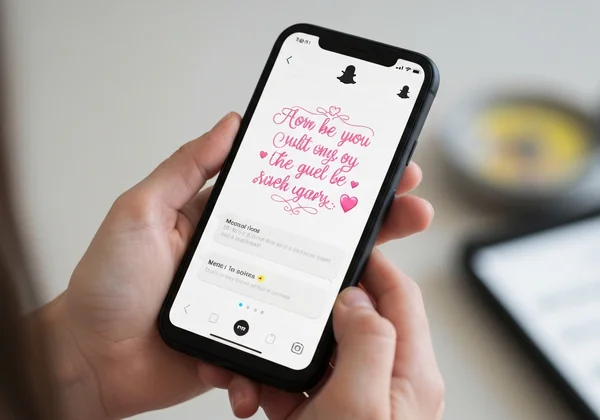
How to Easily Get Cursive Fonts for Snapchat
Getting custom cursive fonts for Snapchat isn't about downloading and installing anything. It’s about generating special text characters that look like cursive and can be pasted anywhere. This is where a dedicated tool makes all the difference, providing a seamless bridge between plain text and beautiful script.
Step-by-Step: Using Our Cursive Generator
We designed our cursive generator to be incredibly simple and fast. You can create amazing text styles in just three easy steps, getting you from idea to execution in under a minute.
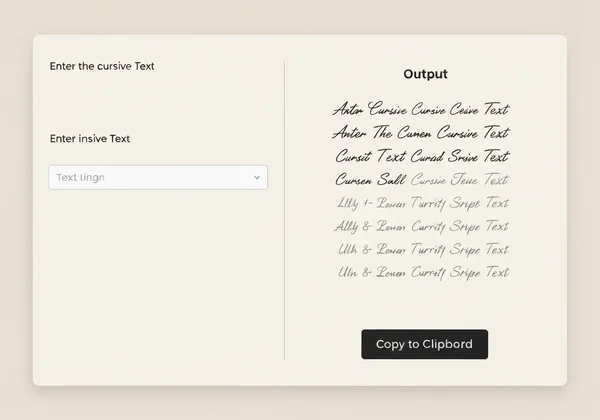
- Enter Your Text: Navigate to our cursive generator. On the left side of the screen, you'll see an "Input" box. Type or paste the text you want to transform, whether it's your name, a witty bio line, or a caption for your next Snap.
- Choose Your Style: As you type, the tool instantly generates your text in a wide variety of cursive and script styles below. Scroll through the options—from elegant and flowing scripts to bold and modern handwriting fonts. Simply click on the style that catches your eye.
- Copy and Go: Once you've selected a style, the formatted text will appear in the "Output" box on the right. Just click the "Copy Cursive Text" button. That’s it! Your fancy text is now on your clipboard, ready to be pasted directly into Snapchat.
This hassle-free process ensures you spend less time figuring things out and more time creating content that reflects your unique personality.
Choosing the Perfect Fancy Text Style for Your Snaps
With so many options available, how do you pick the right font? Think about the mood you want to create. Are you posting about a formal event like a wedding? A delicate, flowing script might be perfect. Announcing something exciting? A bold, energetic cursive style will grab attention.
Don't be afraid to experiment! The best way to find what works is to try different styles. Generate a few options for your name or a common phrase you use. See which one feels most like you. Our tool gives you the freedom to find your perfect style for any occasion, helping you craft a consistent and aesthetic look across your Snapchat profile.
Master Copy & Paste Cursive for Snapchat Stories & Chats
Now that you know how to generate your cursive text, it's time for the fun part: using it! The beauty of this method is its universal "copy and paste" functionality. It works seamlessly across different parts of the Snapchat app, from your public stories to private conversations.

Adding Aesthetic Cursive to Your Snapchat Story Text
Your Snapchat Story is your personal highlight reel. Using aesthetic cursive fonts can make your captions more engaging and visually appealing, stopping your friends in their tracks as they tap through.
Here’s how to do it:
- Generate and copy your desired cursive text from our tool.
- Open Snapchat and take a photo or record a video for your story.
- Tap the "T" icon on the right side of the screen to add text.
- In the text field that appears, tap and hold, then select "Paste."
- Your beautiful cursive text will appear! You can now resize it, change its color, and position it anywhere on your Snap before sharing.
This simple trick is perfect for highlighting key messages, adding elegant titles, or just making your daily updates look a little more special.
Sending Unique Cursive Messages in Snapchat Chats
Why let your stories have all the fun? You can also use these fonts to liven up your direct messages. Sending a message in a unique script font is a great way to make a friend smile or make an important message stand out in a busy chat history.
The process is exactly the same. Generate your text, copy it, and then paste it directly into the chatbox in any conversation. It's an unexpected touch that shows creativity and makes digital communication feel more personal and thoughtful.
Boost Your Profile: Cursive Fonts for Snapchat Bio & Names
Your Snapchat profile is your digital introduction. It's the first thing people see when they add you or look you up. A generic profile can easily be forgotten, but one with a unique, stylized font for the name or bio is instantly memorable.
Crafting an Eye-Catching Snapchat Bio with Script Fonts
Snapchat doesn't have a dedicated "bio" section like Instagram, but your display name serves a similar purpose. You can use this space to say a little about yourself, share a favorite quote, or add a fun tagline. Using script fonts here is a powerful way to make a strong first impression.
Instead of a plain "John Smith | Fitness Enthusiast," imagine how much more personality "𝒥𝑜𝒽𝓃 𝒮𝓂𝒾𝓉𝒽 | 𝐹𝒾𝓉𝓃𝑒𝓈𝓈 𝐸𝓃𝓉𝒽𝓊𝓈𝒾𝒶𝓈𝓉" conveys. It's a small change that makes your profile look more polished and professional. Copy your styled name from our tool. Paste it into Snapchat settings. Design your bio and make it unforgettable.
Quick Tips for Unique Snapchat Username & Display Name Styles
When it comes to usernames and display names, there are a few things to keep in mind:
- Display Name is Key: Snapchat is more restrictive with its official @username, which often doesn't allow special characters. However, your Display Name is fully customizable. This is the perfect place to use your generated cursive font.
- Keep it Readable: While intricate fonts are beautiful, ensure your name is still easy to read. An overly complex script might be hard for others to decipher, making it difficult for them to find or remember you.
- Test It Out: Before you commit, paste your new cursive name into a chat with a friend to see how it looks. This ensures it appears correctly on their device.
Why Your Cursive Text Might Look Different (and How to Fix It)
Have you ever noticed that a special character or emoji looks slightly different on your friend's phone? The same can happen with generated cursive text. This isn't an error; it's just how modern devices handle text. Understanding the "why" will help you use these fonts with confidence.
Understanding Unicode: Why Cursive Fonts Aren't "Real" Fonts
When you use our cursive generator, you aren't creating a font file (like Times New Roman or Arial). Instead, you're generating text using Unicode characters. Unicode is a global standard. It assigns unique codes to letters, numbers, and symbols worldwide. This includes thousands of characters—like math symbols and cursive-style letters.
Because these are universal characters, not font files, they can be copied and pasted across different apps and platforms like Snapchat. Essentially, you're using a clever set of symbols that your device already knows how to display.
Device & Platform Compatibility: What to Expect
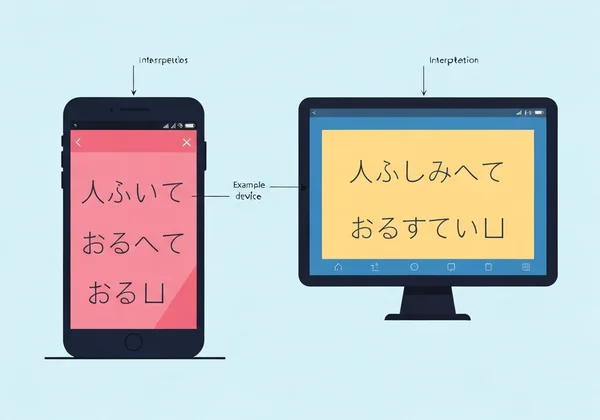
iOS, Android, and apps render Unicode differently. That’s why your cursive text might look slightly varied across devices. A font that looks bold and rounded on an iPhone might look slightly thinner on an Android device.
In rare cases, if a device is very old or its operating system doesn't support a specific character, it might show up as a blank box (□). This is becoming less common as devices get better at supporting the full Unicode standard. The best practice is to stick to more popular script styles, as they tend to have the best compatibility across all platforms.
Your Snapchat, Your Style: Unleash Creativity with Cursive Fonts!
Your digital presence is an extension of your personality, and every detail matters. By moving beyond Snapchat's default options, you can create a profile that is uniquely yours. With custom cursive fonts, you can add elegance to your stories, personality to your profile, and a creative spark to your chats.
You’ve got the steps down—generate, copy, paste, and watch your Snaps pop! The only limit is your imagination.
Ready to give your Snapchat a fresh new look? It only takes a few seconds to see the difference. Head over to our tool and start creating text that truly represents you.
Start creating now and let your creativity shine!
Your Top Questions About Snapchat Cursive Fonts Answered
How do I put fancy text on my Snapchat story or bio?
Use our cursive text generator. Type your text. Pick a style. Hit copy. Then, open Snapchat, go to where you want the text (story caption, display name), and paste it in.
Can I use Cursive Generator fonts on both iOS and Android Snapchat?
Yes! Our tool generates text using Unicode characters, which is a universal standard supported by both iOS and Android. While there might be very minor differences in how the fonts look on each device, they will work perfectly on both platforms.
Why do some cursive fonts look different on Snapchat?
This is due to how different operating systems render Unicode characters. Your iPhone and your friend's Samsung phone have slightly different default designs for the same character, which can cause minor variations in thickness or style. However, the text will remain readable and stylish.
Is it safe to use custom fonts for my Snapchat username?
It's completely safe for your Display Name. For your permanent @username, Snapchat has strict rules and usually doesn't allow special characters. We recommend using these fonts to customize your Display Name, which is what most users see, as it's flexible and easy to change. Using our cursive generator simply creates special text; it doesn't involve any hacks or modifications to the app itself.